 Jyutping
Jyutping
Jyutping

Using Homebrew? You can install Jyutping Input Method for macOS with Homebrew.
Download: Jyutping-v0.83.0-Mac.pkg
Compatibility: macOS 13 Ventura or later
CPU support: Apple Silicon and Intel x86_64
Latest release: September 12, 2026
21623883 bytes
ca1cb74e9e7f354ebaf79de5eb3a8de3c10aae67d1615668ddffa307a849d74dInstallation steps:
After installation and after logging out and back in, if Jyutping is not available, try adding it manually:
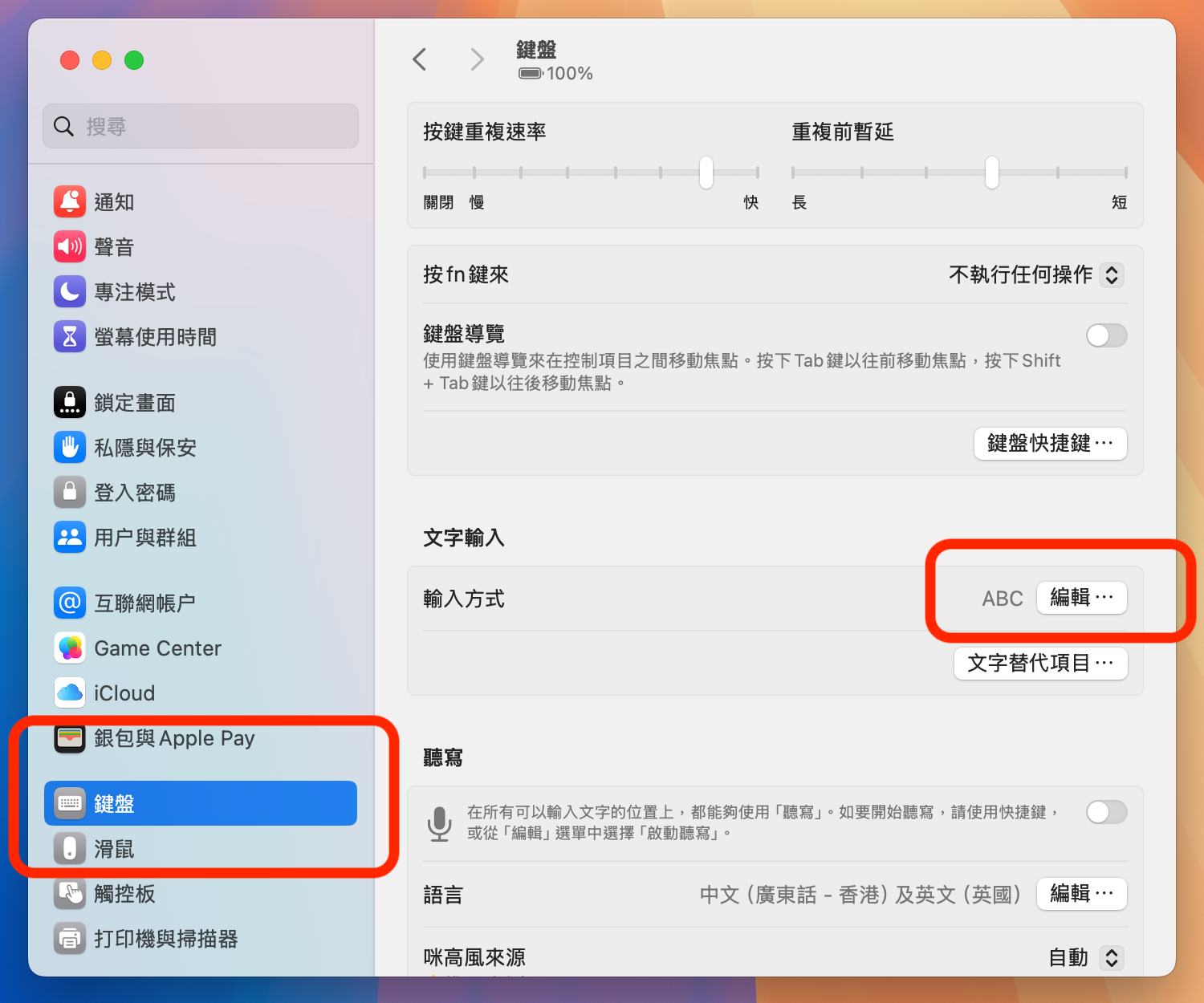
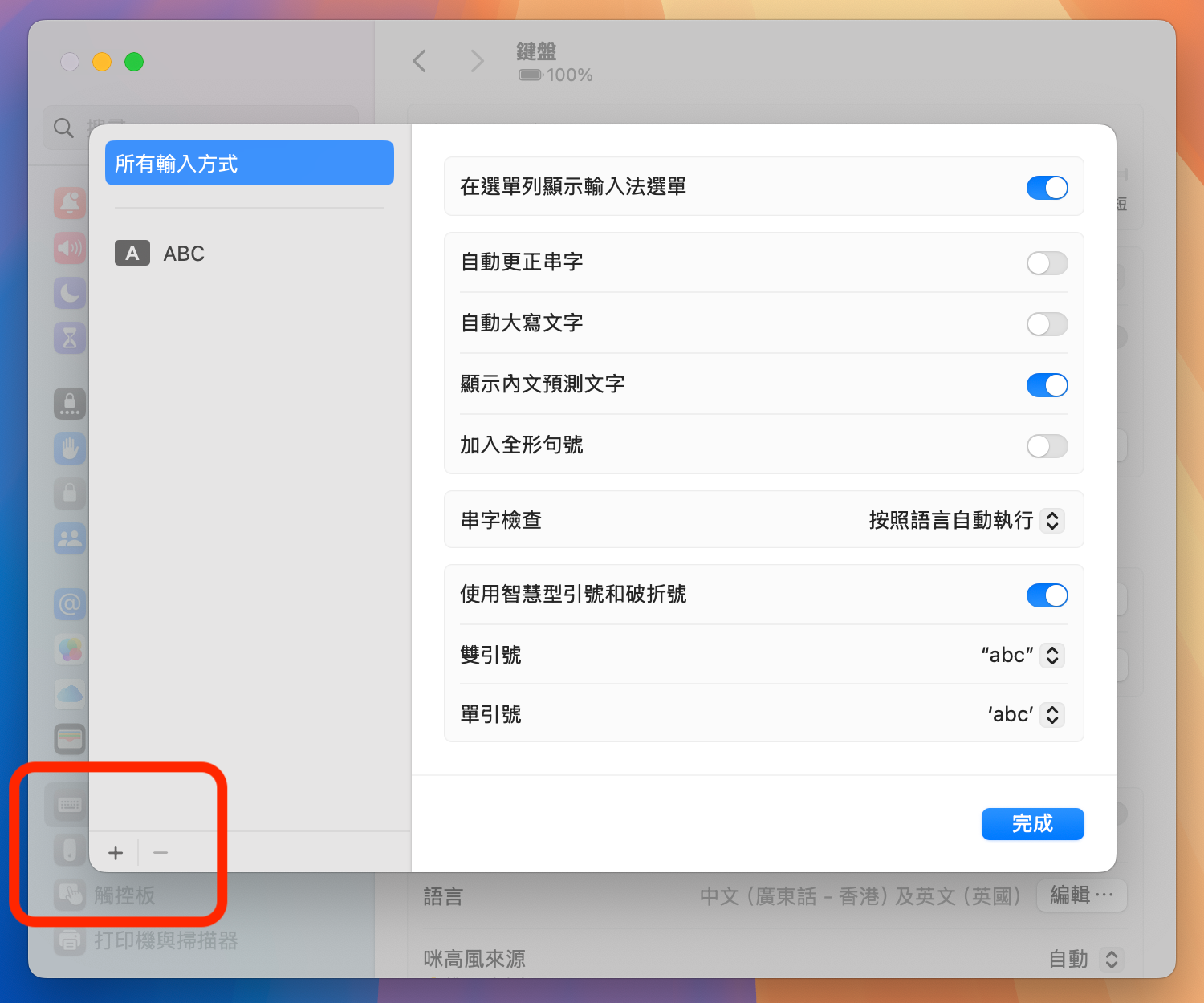
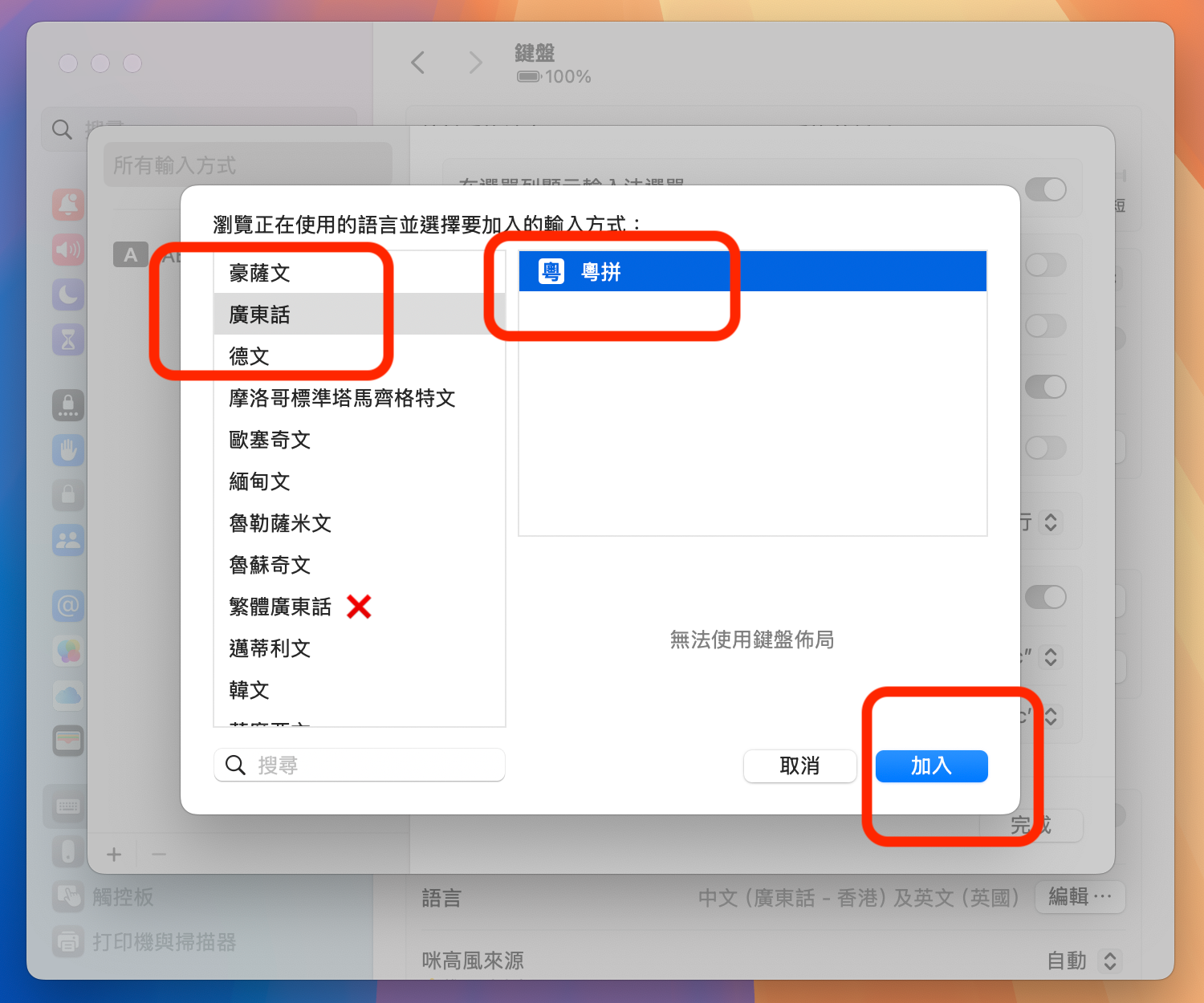
Because macOS manages input methods in a fairly complex way, the built-in “Check for Updates / Automatic Updates” feature may fail.
We recommend downloading and installing the latest version from this website, or installing/updating Jyutping Input Method for macOS with Homebrew.
See also: FAQ
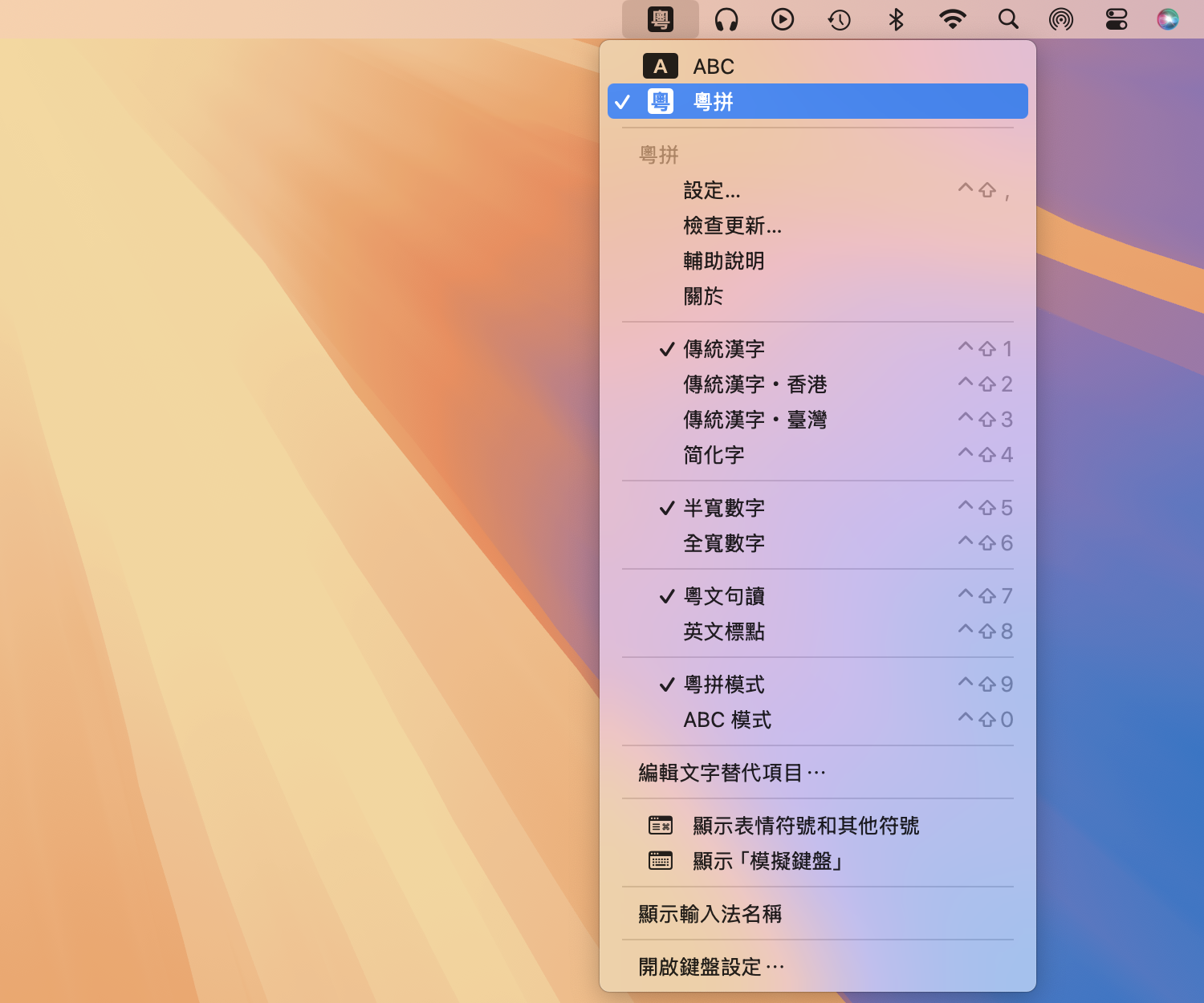
While using the input method, press Control ⌃ + Shift ⇧ + ` (below the esc key). An options panel will appear where you can choose simplified Chinese, punctuation style, and other options.
To support development, donations are welcome.